
splyt · by yocreative
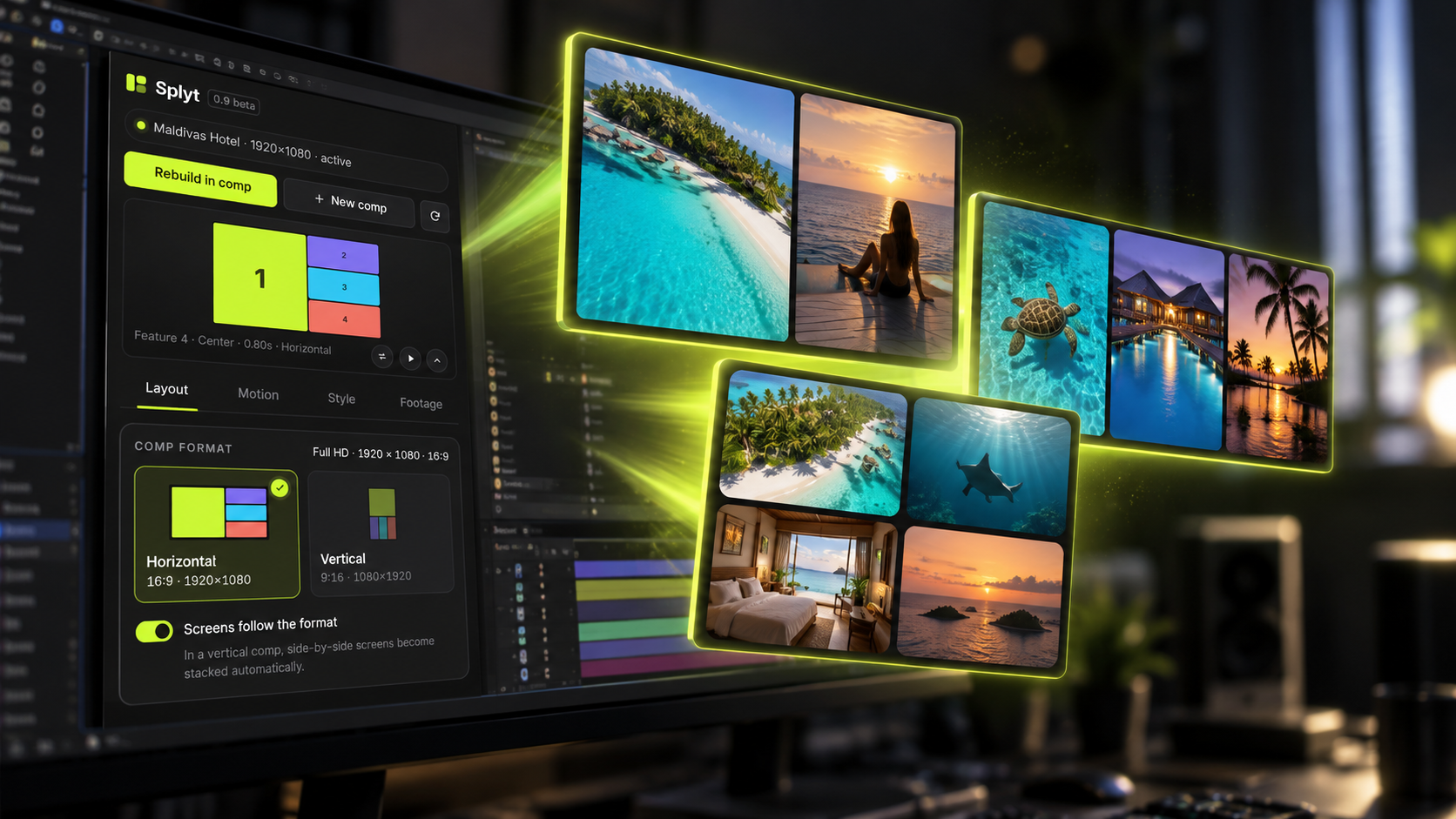
Split-screen motion, in one click.
Layouts, sequences and 16:9 ⇄ 9:16 conversion for After Effects.
See it in motion
Demo video coming soon
How it works
Three steps. No keyframes.
Features
One panel, the whole split-screen job
Split layouts
Strips, feature and grid layouts, built from your selected clips.
Sequence
Screens add up in continuous motion, one after another.
H ⇄ V conversion
Reels and Stories from the same comp, reframed automatically.
Resolution-aware
HD to 8K, any aspect. The math adapts to your comp.
Live controls
Gap, corners, colors, focus, zoom and Ken Burns, all live.
Renders without the plugin
Send the project to anyone. Renders plain, no license needed.
Panel tour
Take a tour of the panel.
Build any layout in seconds
- Strips, feature and grid presets
- Drop in your clips, done
- Gap and corners on sliders
One comp, every format
- 16:9 becomes 9:16 in one click
- Focus follows the action
- Reels, Stories and Shorts ready
Every detail on a slider
- Focus, zoom and Ken Burns per screen
- Colors and gaps update live
- Presets for the looks you repeat
Free vs Splyt
Start free. Build when you're ready.
Splyt Free
- Open Splyt projects
- Swap footage
- Framing: focus, zoom, Ken Burns
- Colors, gap and corners
Splyt
- Everything in Free
- Create layouts
- Animation and exit styles
- Sequences
- H ⇄ V conversion
- Presets
FAQ
Questions
After Effects 2022 and newer, on the current Adobe extension platform.
Yes. One installer per platform, same panel inside After Effects.
No. Splyt builds native compositions. Anyone can open and render the project without a license.
Splyt Free. It opens the project so you can swap footage, framing and colors.
One license per user, both platforms. Support by email, animator to animator.